Best Strength Training App: Top Picks to Track Lifts and Build Muscle
 By Amnon V. ·
TL;DR
- A strength training app earns its place on three things: progressive overload, a deep exercise library, and real program structure.
- Progressive overload is what builds muscle, and tracking every set is how you actually apply it.
- Top picks: Gymverse and Fitbod build and adapt the plan for you. Hevy and Caliber keep tracking free.
- Free apps cover logging well. Paid apps earn their price by doing the programming for you.
- Choose by one question: how much do you want handled for you, versus how much you run yourself.
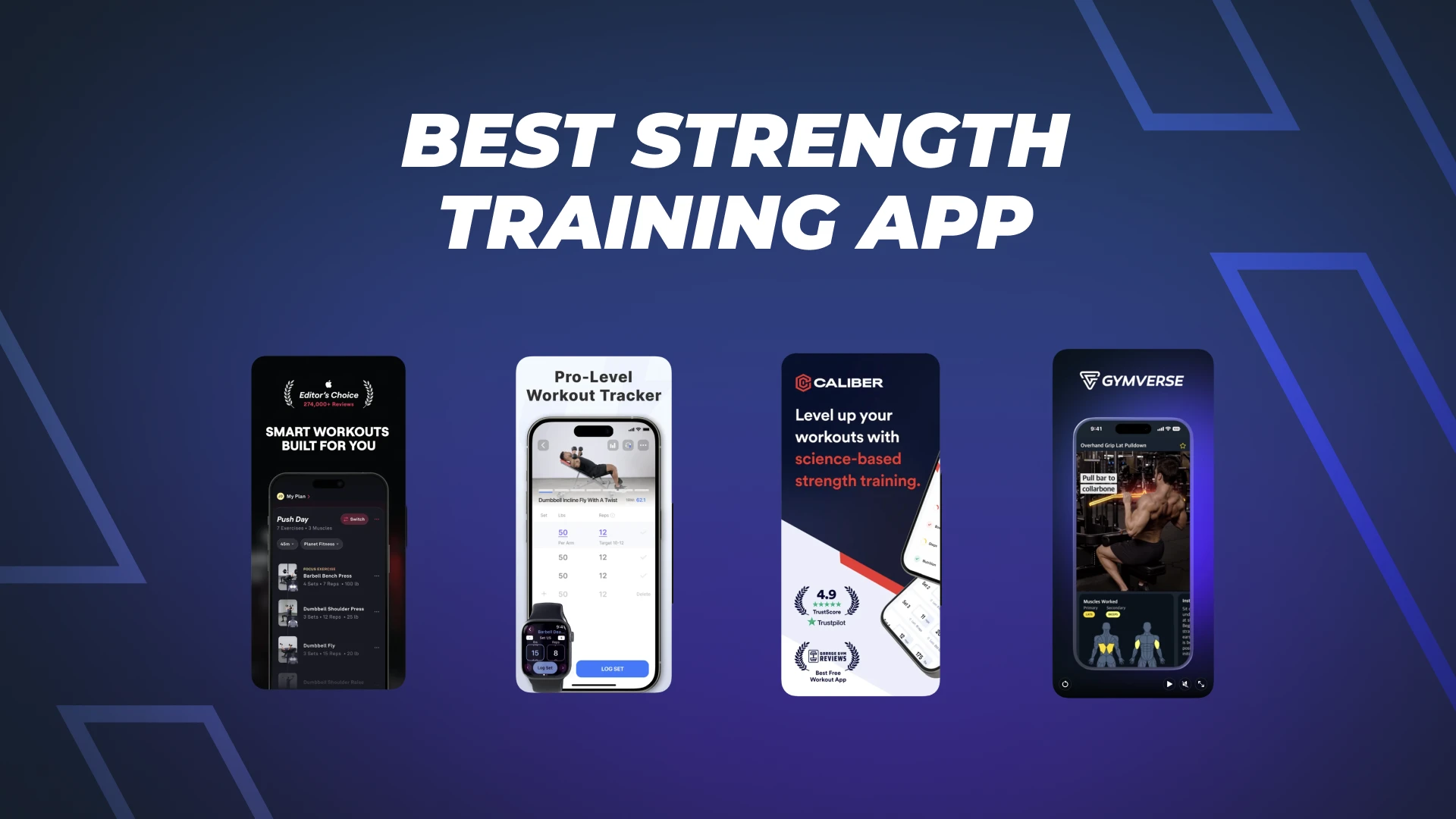
You show up, you lift, you leave. But you can’t say whether today was heavier than last week, because none of it got written down. That gap is what a good strength training app closes. The best strength training app doesn’t just store your sets. It tells you what to do next, and it shows you’re getting stronger. This guide compares the top weightlifting apps for tracking lifts and building muscle. One might be the best weight lifting app for you. Another might be the best weight training app for how you like to train. We name where each one wins, and where it falls short, ours included.
What separates a good strength training app from a bad one
Most apps look the same on the store page. The difference shows up three or four weeks in, when the easy motivation is gone and you need the app to actually move you forward. Three things decide whether it does.
First, progressive overload. Your body adapts to stress, so the work has to get harder over time. That means more weight, more reps, or getting closer to failure. An app that keeps handing you the same weights forever is a logbook, not a training tool.
Second, exercise library depth. A deep library of well-filmed videos lets you train around a sore shoulder, a packed gym, or a hotel setup without guessing at substitutes. It also means the app can swap in a movement that hits the same muscle when your first choice is taken.
Third, program structure. Random workouts produce random results. Structure turns single sessions into a plan, with the right volume spread across the week and recovery built in, so you keep progressing instead of stalling.
Tracking sits underneath all three. If the app logs every set and your progress over time, you can see whether the plan is working. That is the whole point of strength tracking and progress logs. It turns effort into evidence.
How progressive overload actually builds muscle
Here is the part most app marketing skips. Muscle grows when you give it a reason to, and the biggest lever is how much hard work you do across a week, not any single magic session.
A large review found a graded dose-response between weekly training volume and muscle growth. More challenging sets per muscle tended to mean more growth (Schoenfeld and colleagues, 2017). That is why counting sets matters, and why an app that tracks your volume is doing real work for you.
Frequency matters less than people assume. When researchers matched total weekly sets, training a muscle more often did not produce more growth on its own (Schoenfeld and colleagues, 2019). Training each muscle about twice a week is a practical way to fit enough quality volume into the week, not a magic number by itself.
You also do not need to grind every set to failure. A meta-analysis found only a trivial advantage for training to failure over stopping short, an effect size of 0.19 (Refalo and colleagues, 2023). Leaving one to three reps in reserve gives you nearly all of the growth with far less fatigue to recover from.
Good apps bake this in. The Gymverse method applies progressive overload and keeps effective volume around 10 to 20 hard sets per muscle each week, with a reps-in-reserve target that keeps effort high without burning you out. The science is not the marketing here. It is the engine.
The best app isn’t the one with the most features. It’s the one that keeps you progressing.
The best strength training apps to track lifts and build muscle
No single app wins for everyone. Here are four that do their specific job well, with honest notes on the trade-offs.
| App | Exercise library | Builds and adapts your plan | Free access | Best for |
|---|---|---|---|---|
| Gymverse | 500+ videos | Yes, adapts weekly | 7-day trial, then paid | A done-for-you plan that also tracks |
| Fitbod | 1,000+ exercises | Yes, AI between sessions | Free trial, then paid | AI programming around recovery |
| Hevy | Hundreds of exercises | No, you build it | Free, paid Pro option | Fast free lift logging |
| Caliber | 800+ exercises | Optional, paid coaching | Free tier, paid coaching | Free tracking with a coaching path |
Gymverse: best for a personalized plan that tracks and adapts
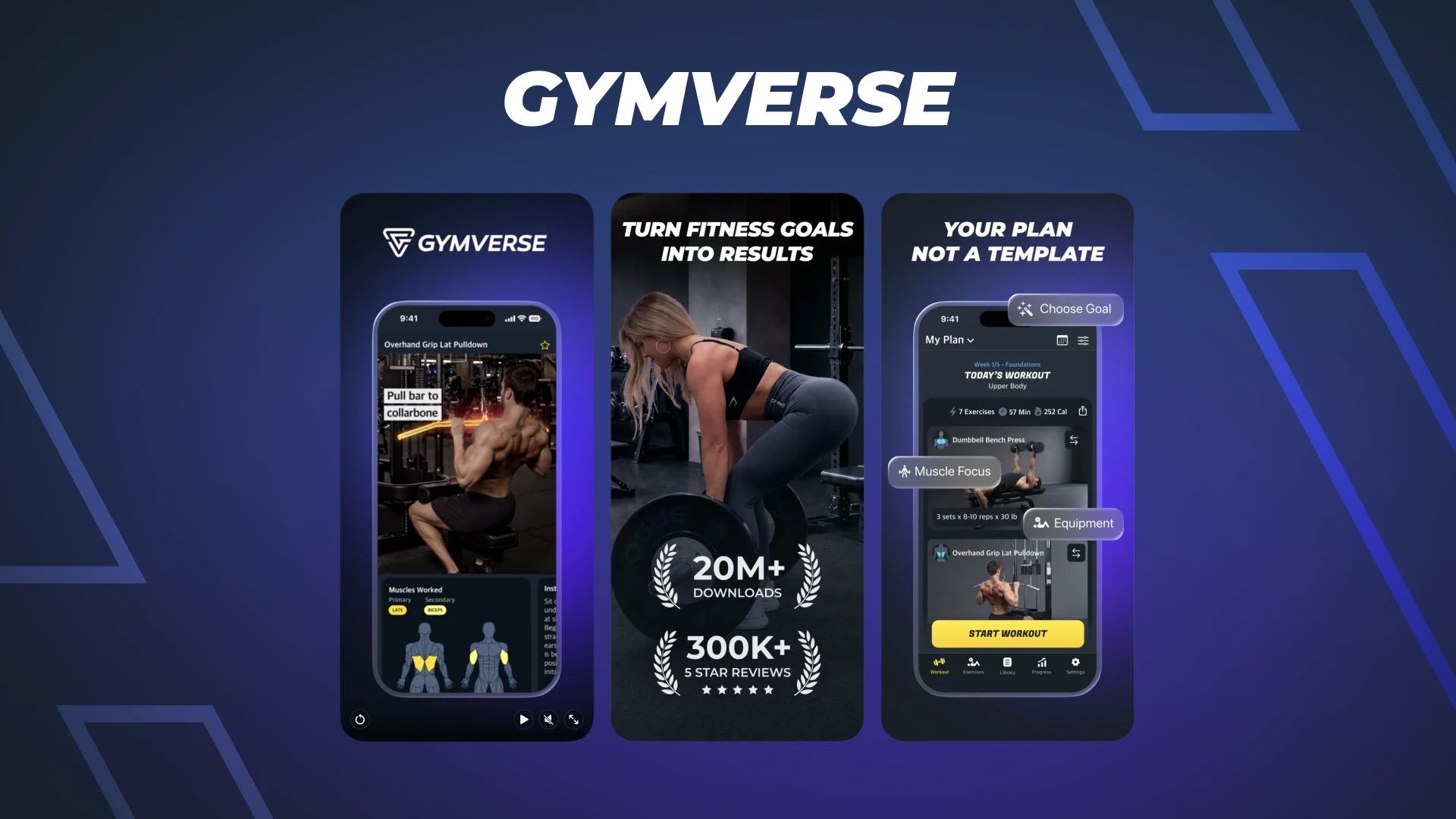
Gymverse builds a multi-week plan around your goal, experience, and equipment. Then it fits that plan to your schedule and adapts as you go. Every session opens to an ordered list of exactly what to do, how many sets and reps, and what weight to start with. It logs each set, tracks personal records, and shows your progress on leaderboards. The library runs to 500+ exercise videos with step-by-step form guidance.
Where it falls short: it is not free. You get a free 7-day trial, then it is a paid subscription. Its exercise library is smaller than Fitbod’s or Caliber’s. And if you already know how to program and only want a place to log, a full plan builder is more than you need. Build your plan if you want the structure and tracking handled in one place.
Fitbod: best for AI-built programming
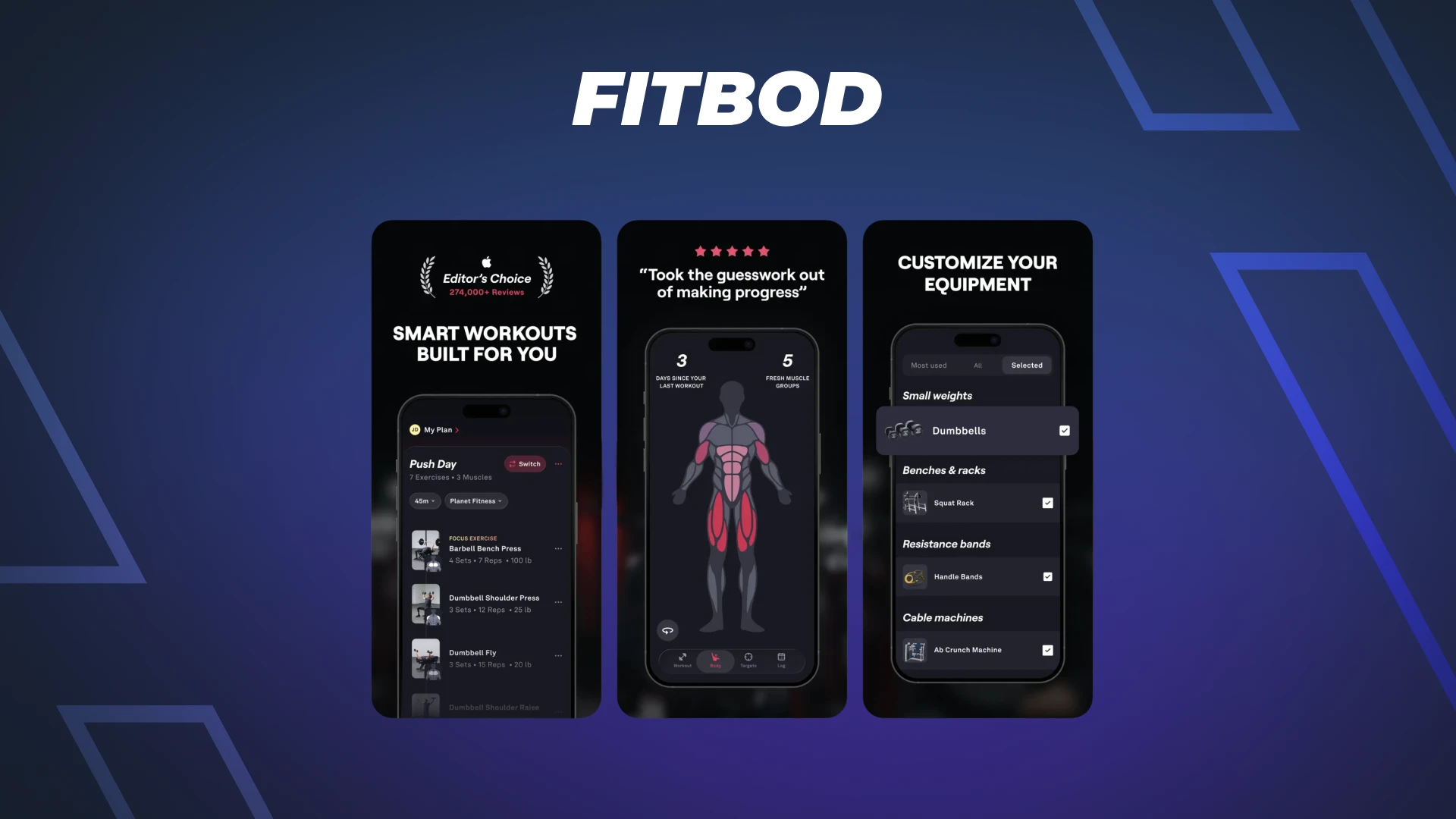
Fitbod generates each session from your history, your available equipment, and which muscles are recovered. It leans on a muscle-recovery map, so it pushes fresh muscles and rests fatigued ones. Its library is one of the largest here at more than 1,000 exercises, each with video demos. For people who like lifting but hate planning, it removes the decision.
Where it falls short: its AI plans the workout before you start rather than adapting mid-set, so set the right expectation. Like Gymverse, it is paid after a free trial, so it is not a long-term free option.
Hevy: best free app for tracking lifts
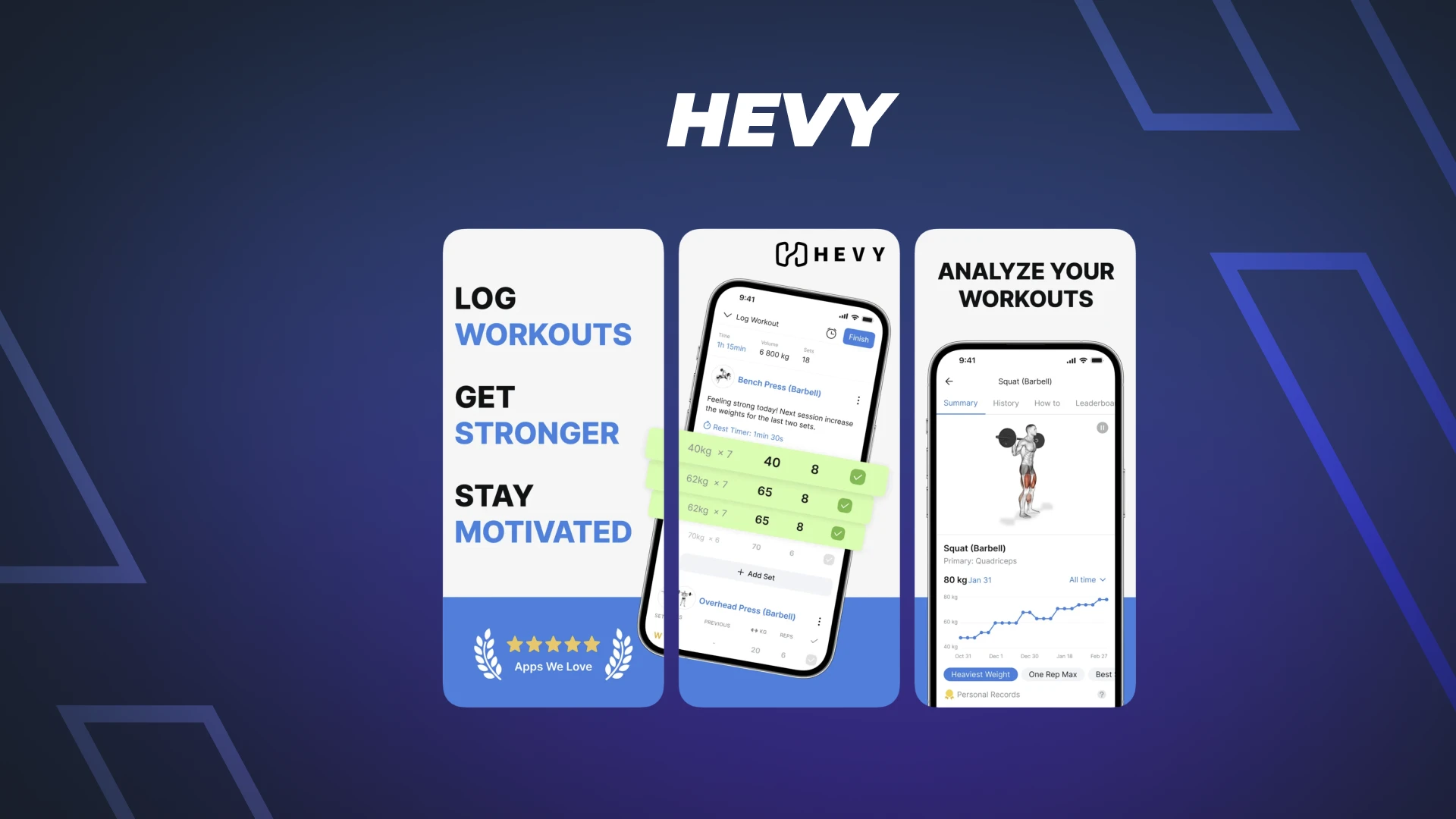
Hevy is the cleanest free lift logger going. You build routines and log sets fast. Your progress shows up as clear graphs of volume, reps, and personal records, plus a weekly muscle-group breakdown. It carries hundreds of exercises and a social feed if you want one. For most lifters who just want to track lifts without paying, the free tier covers it.
Where it falls short: Hevy is a logger, not a coach. It does not write your program or adjust your loads based on recovery. The free tier also caps a few things, like the number of saved routines and how far back your history goes, with a paid Pro tier to lift those limits. If you want the plan built for you, this is not that app.
Caliber: best free tracking with a coaching option
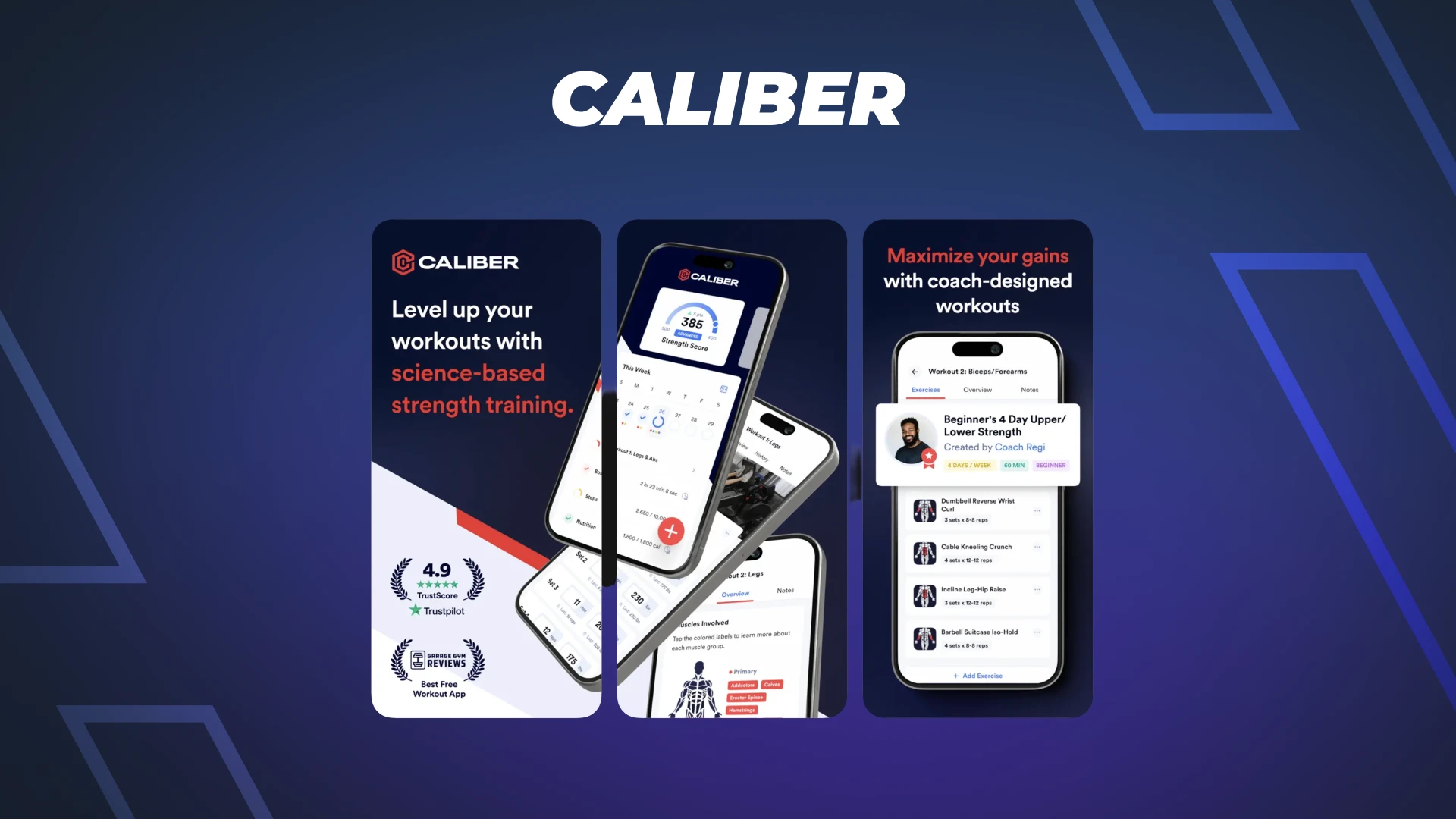
Caliber’s free version is genuinely useful, with unlimited workout tracking and a library of 800+ exercises. You build and track your own workouts, repeating core lifts and adding weight or reps over the weeks, which is progressive overload done simply. Train solo for free, or pay for coach-designed plans or one-on-one human coaching.
Where it falls short: the free tier is self-guided, so the structured plans and the real coaching sit behind a paywall, and that coaching is expensive. As a free tracker with an upgrade path to a real human coach, though, it stands out.
Are free strength training apps good enough?
For a lot of people, yes. If you already know how to structure your training, a free tracker like Hevy or Caliber does everything you need. You get logging, progress graphs, and an exercise library at no cost, which is enough to apply progressive overload on your own.
The catch is that free trackers hand you the steering wheel. They record what you do. They will not decide your sets, your loads, or your weekly volume. That is fine if you enjoy programming. It is a problem if the planning is exactly what keeps stalling you.
Paid apps like Gymverse and Fitbod earn their price by doing that programming for you and adjusting it as you progress. We are a paid app after the trial, and we will say it plainly. If you want a free logbook and nothing more, use Hevy or Caliber. If you want the plan built, tracked, and adapted so you never guess at the gym, that is what you are paying for.
How to choose the right app for you
It comes down to one question. How much do you want handled for you?
If you want everything decided and tracked in one place, and you would rather not think about programming, go with a done-for-you app like Gymverse or Fitbod. If you are a beginner who feels lost in the gym, this is the safer route, because the app tells you what to do and how much to lift.
If you already program your own training and just want a clean place to log it, save your money and use Hevy or Caliber’s free tier. If you want free tracking now but might want a real coach later, Caliber gives you both without switching apps.
Whatever you pick, the best strength training app in 2026 is the one you will still be opening in three months. Consistency beats every feature list.
Frequently asked questions
What is the best strength training app?
The best strength training app is the one you will use consistently, and that depends on whether you want a plan built for you or just a place to log lifts. For a done-for-you plan, Gymverse and Fitbod lead. For free logging, Hevy and Caliber are the strongest picks. There is no single winner, only the best fit for how you like to train.
What is the best app for tracking lifts?
For pure lift tracking, Hevy is the strongest free option, and Caliber's free tier also covers unlimited logging. Both give you fast set logging, progress graphs, and an exercise library at no cost. If you want tracking plus a plan that adapts, Gymverse or Fitbod do both in one app.
What is the top app for building muscle?
No app builds muscle for you, but the ones that apply progressive overload and track your weekly volume give you the best shot, which is what Gymverse and Fitbod are built to do. Muscle grows from enough hard sets over time, taken close to failure, and repeated for months. Nutrition matters as well, and most guidance lands around 1.6 to 2.2 grams of protein per kilogram of bodyweight, with little added benefit past about 1.6 (Morton and colleagues, 2018). Your needs vary, so check with a doctor or registered dietitian before making big changes to how you eat.
Are strength training apps good for beginners?
Yes. A good strength training app removes the guesswork by telling you which exercises to do, how many sets and reps to perform, and what weight to start with. That structure is exactly what most beginners are missing. A beginner-friendly app also demos each movement on video, so you can lift safely before you add load.
Do I need a paid app, or are free ones enough?
Free apps like Hevy and Caliber are enough if you are happy to program your own training. Paid apps like Gymverse and Fitbod earn their cost by building and adjusting the plan for you. If planning is the part that keeps stalling you, paying for structure is usually worth it.
Sources & further reading
- Weekly training volume drives muscle growth in a graded dose-response: Schoenfeld, Ogborn, and Krieger, Journal of Sports Sciences (2017)
- Training frequency adds no extra growth when weekly volume is matched: Schoenfeld, Grgic, and Krieger, Journal of Sports Sciences (2019)
- Training to failure gives only a trivial hypertrophy advantage (effect size 0.19): Refalo and colleagues, Sports Medicine (2023)
- Protein supports muscle gain, with benefit plateauing near 1.6 grams per kilogram per day: Morton and colleagues, British Journal of Sports Medicine (2018)
- Gymverse method, features, and 500+ exercise videos: Gymverse
- Fitbod features and its 1,000+ exercise library: Fitbod (App Store listing)
- Hevy features and free tier: Hevy (Google Play listing)
- Caliber free version and its 800+ exercise library: Caliber (App Store listing)
All Gymverse articles are reviewed against current research. See our full References & Research page.
Turn what you just learned into a training plan that works for you. Personalized structure. AI coaching. Real progress.
START TRAINING →